Most digital projects do not fail at the idea stage. They stall at the start, when someone has to turn a clear vision into a real website, portal, or system. Momo Kirikuu is built to remove that delay.
Instead of opening a blank editor and assembling everything from scratch, you describe what you want in plain language inside Momo Cloud. Kirikuu helps generate a usable starting point, and you stay in control as you review, refine, and keep building.
What Momo Kirikuu Is
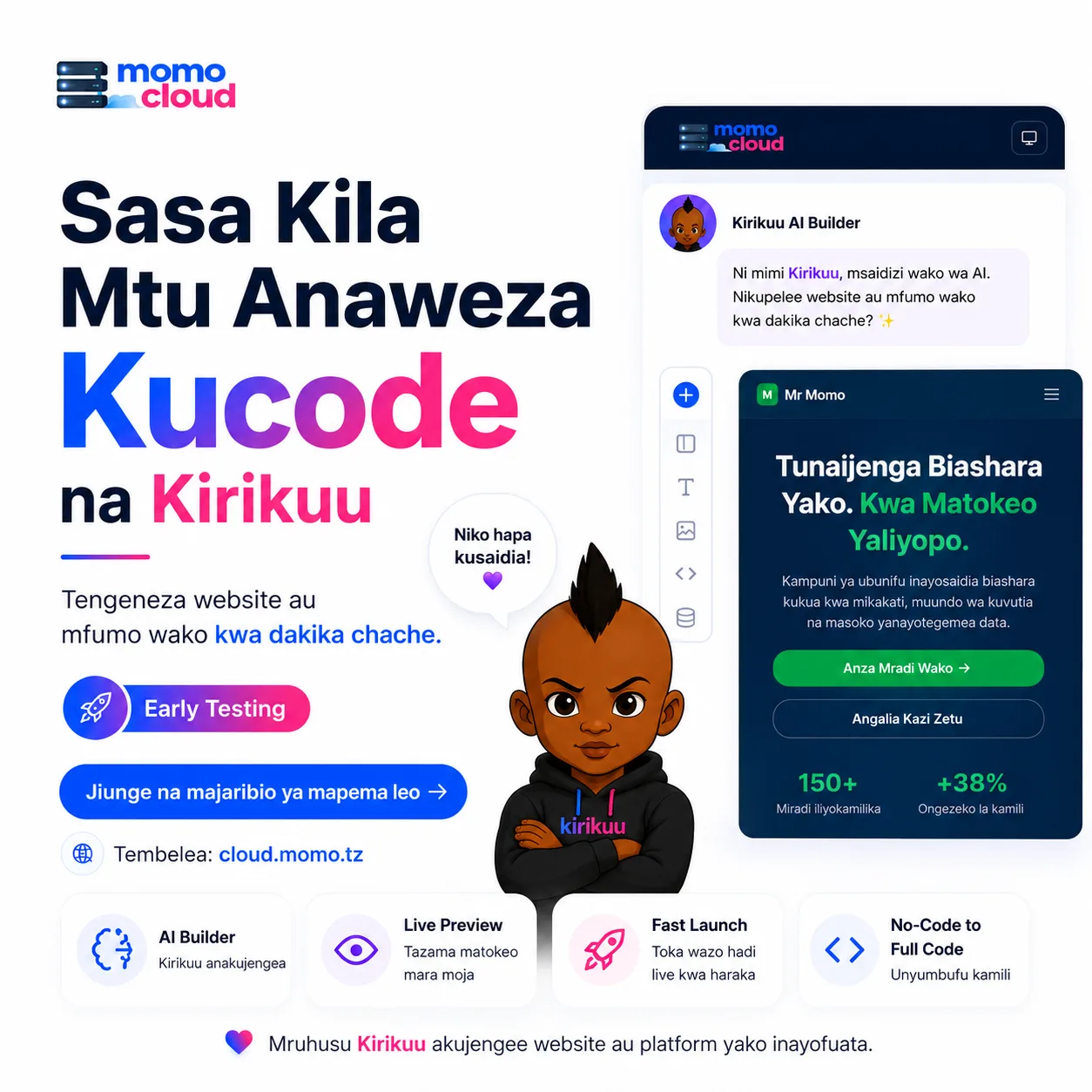
Momo Kirikuu is an AI coding assistant built inside Momo Cloud. It helps you create websites, web systems, and other digital products faster by turning simple instructions into a foundation you can inspect, adjust, and continue developing.
In practice, that means you do not have to begin with raw code, an empty project folder, or a long setup process. You can start with prompts such as "Build a landing page for a tour company with a booking form" or "Create a simple school management dashboard with login, student records, and fee tracking". From that conversation, Kirikuu helps generate the first version so you can move quickly into testing and improvement.

Build by describing what you need
One of Kirikuu's biggest shifts is that the process starts with a conversation. Rather than writing every file and component from zero, you explain your goal in clear language: the type of site or system, the pages you need, the style you prefer, and the features that matter most.
That could be:
- a restaurant website with menu pages, contact details, and WhatsApp ordering
- a church website with event listings, sermons, and donation information
- a small inventory system for tracking products, stock levels, and sales
- a startup landing page with pricing, testimonials, and a contact form
This makes the first step easier for people who know what they want but do not want to spend hours building the initial structure manually. It also helps technical users move faster by giving them a workable first version to customize.
Useful for both technical and non-technical users
Kirikuu is not only for full-time developers. It is useful across a wide range of Momo Cloud customers:
- Business owners who want to launch a company website or internal tool without a long build cycle
- Startups that need to test an idea quickly and show a working version to early users or investors
- Students who want help turning a project idea into something they can study, improve, and present
- Developers who want to speed up scaffolding, interface generation, and early iterations
- Non-technical users who understand the business need clearly but may not know how to write code from zero
That matters because many projects start outside a development team. A school administrator may need a portal. A shop owner may need an online catalog. A founder may need a product page this week, not next month. Kirikuu lowers the barrier to getting started without requiring users to become experts first.
Tip: The better your prompt, the better your starting point. Be specific about your business type, required pages, colours, forms, and key features when describing what you want Kirikuu to build.
Faster creation without losing control
AI-assisted building only works when it saves time without taking control away from the user. Kirikuu is designed to help you create faster, not to lock you into a black box.
You still decide what the project should do, how it should look, and what changes need to be made. If the first version is close but not perfect, you can refine it through further instructions and development work. That makes Kirikuu a practical assistant rather than a replacement for your judgement.
For non-technical users, this means you can shape the result directly instead of struggling to translate your idea into technical terms from the start. For developers, it means less time on repetitive setup and more time on business logic, polish, integrations, and deployment.
How It Helps You Build Faster
The biggest time saver is simple: you do not have to start from a blank page. Instead of planning every section, layout, and feature before anything appears on screen, you describe what you want and let Kirikuu produce a usable first version.
That shifts the workflow from slow setup to fast iteration. You spend less time assembling structure and more time reviewing, adjusting, and improving something real.
From idea to first version in a simple flow
The core process is straightforward. First, you describe the project: what kind of site or system you want, who it is for, what pages or functions it needs, and any preferences for style or content. Kirikuu then generates an initial result you can inspect right away.
Next comes review. You check whether the layout makes sense, whether sections are in the right order, whether the content fits your business, and whether the generated features are close to what you need. If something is missing or off-target, you refine the brief and continue improving.
That matters because most digital projects are not perfect in one attempt. A restaurant website may need a homepage, menu, contact details, and booking form. A school portal may need student login, notices, fee information, and downloadable documents. A small business site may need product pages, WhatsApp contact options, and enquiry forms. Kirikuu helps you reach that first workable version quickly, then gives you a practical path to shape it further.
Faster website creation and clearer feedback
Traditional website creation often begins with repetitive groundwork: choosing a layout, defining page structure, writing placeholder content, setting colours, arranging navigation, and connecting basic elements one by one. Even before refinement starts, a lot of time goes into setup.
With Kirikuu, much of that early work can be generated for you. If you ask for a company website with a homepage, services page, about page, contact page, and lead form, you can get a structured starting point much faster than building each part manually. The same applies to portfolio sites, church websites, school information portals, and campaign landing pages.
Live preview makes that process even more useful. You can judge the project by its actual structure and appearance, not by assumptions. It becomes easier to spot when a hero section feels crowded, a form is too long, navigation labels need work, or an important section is missing.
That short feedback loop reduces wasted effort because changes happen earlier, when they are easier to make. Instead of waiting for a full manual build, you can describe, generate, preview, adjust, and preview again.
Tip: Ask for the business outcome, not only the design. For example, “Create a salon website that encourages appointment bookings with clear pricing and a WhatsApp contact button” usually produces a better starting point than a design-only prompt.
Edit, launch, and keep improving
Speed is not only about generating the first version. It is also about what happens next. After reviewing the generated project, you can keep editing and refining it instead of abandoning it and starting again. The work already done remains useful.
In practice, a user might start with a simple brochure-style website, launch it, and improve it over time. In the first week, the site may only need core pages and contact details. Later, the same project can expand with FAQs, stronger service descriptions, image galleries, extra forms, updated branding, or more tailored content.
The same logic applies to internal systems and prototypes. A generated starting point can be adjusted as processes change, features become clearer, or feedback comes in. Progress is cumulative rather than repetitive.
You do not need advanced coding skills to begin
Many projects get delayed because people assume they need strong coding knowledge before they can even start. Kirikuu reduces that barrier. You do not need to be an experienced developer to describe a website, request common sections, review a draft, and guide improvements.
That makes it useful for non-technical founders, administrators, marketers, and small business owners who understand their goals clearly but do not necessarily write code. At the same time, it is not only for beginners. Developers and technical teams can use a generated project as a rapid base for further customization, saving time on repetitive starting work while handling advanced logic, integrations, and final polish themselves.
What You Can Build with Kirikuu
Kirikuu is not limited to one type of project. The same prompt-driven approach that helps you create a simple online presence can also help you shape a more structured business platform. Whether you need a one-page site this week or a system that will keep growing with your operations, the value is in getting to a useful first version faster.
Business websites, stores, and catalogs
One of the most practical uses for Kirikuu is the standard business website. Many SMEs do not need a highly complex platform on day one. They need a clear site that explains who they are, what they offer, where they are located, and how customers can get in touch.
That could be a logistics company with service pages and a quote request form, a law office with a professional profile and practice areas, or a construction business showing completed projects and contact details. Kirikuu can also support e-commerce stores and product catalog sites by helping structure products, categories, descriptions, and customer journeys.
For some businesses, the immediate goal is not full online checkout but a catalog-style site where customers browse products and send enquiries through WhatsApp, phone, or a contact form. Kirikuu is useful there too, because it helps generate the pages and structure while leaving room for future expansion.
Portfolios, blogs, media sites, and landing pages
Not every project is a company website. Kirikuu can also help photographers, designers, videographers, architects, writers, consultants, makeup artists, event planners, and other professionals present their work online in a more polished way.
A photographer might need a homepage, gallery sections, pricing information, and a booking enquiry form. A freelance designer may want case studies, testimonials, and clear service lists. An architect could present completed projects, design philosophy, and contact details for new client enquiries.
Kirikuu also fits content publishing and campaign-focused pages. A business coach could launch a blog with lead capture sections and topic categories. A local media startup could create a publication layout with featured stories and article pages. A nonprofit could build an information hub for updates, announcements, and resources. And when speed matters, a focused landing page for an event, property campaign, course registration, waitlist, or new service can often be more useful than a full website.
Booking flows, internal tools, and customer platforms
Many service businesses need more than static pages. They need customers to choose a service, check availability, submit details, or request appointments. Kirikuu can help shape these early booking-oriented experiences for salons, clinics, car rental businesses, tour operators, and similar service providers.
It is also useful beyond public websites. Some teams need internal dashboards, staff portals, record management systems, inventory tracking tools, client management interfaces, or request workflows. A distribution company may need a simple dashboard to track orders and delivery status. A school or training centre may want an internal tool for student records and communication. A sales team may need a lead tracker, and a small HR team may want a leave request and approval workflow.
On the public side, Kirikuu can also contribute to customer-facing platforms with more moving parts than a normal website, such as member areas, application portals, onboarding flows, and structured customer submission systems. These examples show the difference between having a website and having a digital process. Kirikuu can help with both.
Tip: Start with the smallest version that solves a real problem. A simple landing page, catalog, booking flow, or internal dashboard can go live quickly, then grow into a broader platform as your needs become clearer.
Suitable for simple launches and bigger plans
A useful way to think about Kirikuu is that it supports a wide project spectrum. At one end are lightweight builds such as landing pages, small business websites, and personal portfolios. At the other are more complete platforms such as booking systems, internal tools, and customer-facing business applications. The difference is not whether Kirikuu is useful, but how far you take the generated foundation.
That flexibility is especially practical for Tanzanian SMEs, creators, startups, and professionals. A boutique hotel can create a site that highlights rooms, amenities, location, and booking enquiries. A clinic can publish services, doctors, hours, and appointment requests. A retail shop can launch a product catalog and promotion pages. A law firm, accounting practice, or consultant can create a professional site that builds trust and makes enquiries easier. The common thread is practical progress: turning business ideas into usable digital assets faster.
Why It Fits Naturally Inside Momo Cloud
Creating the first version of a website or system is only part of the job. After that, you still need reliable hosting, a domain people can remember, professional email, and infrastructure that can support the project as it grows. That is why Kirikuu makes the most sense inside a broader platform rather than as a standalone building tool.
For Momo Cloud customers, the advantage is practical. You can move from idea to live service without stitching together several unrelated providers. Instead of building in one place, registering a domain somewhere else, hosting on another platform, and managing email separately, you can keep the main parts of the journey together in one ecosystem.
From building to going live
When a project is still at the idea or prototype stage, speed matters. Once it is ready for real users, stability and day-to-day management matter just as much. A landing page needs dependable hosting. A client portal may need a VPS. A larger application may eventually need dedicated resources. A business website usually needs a matching domain name and branded email addresses.
Momo Cloud supports that full path. A simple brochure site or product page can run on standard web hosting. A custom application with its own stack can run on cloud infrastructure or a VPS. If the workload becomes more demanding, bare metal provides dedicated hardware for heavier deployments. And where AI-driven workloads are part of the product or internal workflow, AI compute can support those needs as the project becomes more advanced.
Services that support the finished project
Kirikuu helps customers create faster, but the finished result still needs surrounding services to become useful in the real world. Momo Cloud covers the pieces most businesses need after development:
- Hosting for websites, landing pages, company profiles, blogs, and other public-facing projects
- Cloud infrastructure for applications that need flexibility, scaling options, or custom deployment setups
- Domains so the project can launch on a professional web address instead of a temporary development URL
- Webmail for branded communication such as sales, support, bookings, or internal staff accounts
- VPS for customers who need root access, custom software stacks, or isolated environments for their apps
- Bare metal for larger or more performance-sensitive systems that benefit from dedicated server resources
- AI compute for projects that go beyond a standard website and need more serious AI-related processing capacity
That combination matters because real projects do not stay static. A small business site may begin on shared hosting, then later add a custom booking workflow on a VPS. A startup may launch with a simple waitlist page, then grow into a web app on cloud infrastructure. A team experimenting with AI features may start small, then require more specialised compute as usage increases.
One ecosystem, fewer handoffs
Using separate tools and providers for each stage often creates friction. Billing is split across accounts, support is fragmented, and even basic tasks such as connecting a domain, setting up email, or moving a project from testing to production can take longer than they should.
Momo Cloud reduces that complexity by giving customers a place to build, host, launch, and grow with fewer handoffs. If Kirikuu helps you create a hotel website, you can then connect the domain, set up webmail for reservations, and host the live site in the same broader environment. If it helps you produce the first version of an internal system, you can place that system on infrastructure that fits the team's operational needs and expand from there when required.
Tip: When planning a new project, think beyond the build itself. Decide early where the site or system will be hosted, which domain it will use, and whether the team will need branded email or room to scale later.
Join the Early Testing Program
If you want to build websites, internal tools, customer portals, or first-version business systems with less friction, this is a good time to get involved. Early testing is a chance to try Momo Kirikuu while it is still being refined and to help shape how it works for real users and real projects.
Who should consider joining
Momo Kirikuu is especially worth exploring if you are regularly slowed down by repetitive setup work, blank-page syndrome, or the time it takes to turn an idea into something visible. The early testing program is a practical fit for:
- Businesses that want to launch or improve their online presence faster, whether that means a company website, service pages, enquiry flows, or a simple customer-facing system
- Students who want to experiment, learn modern building workflows, and create projects for coursework, portfolios, or side hustles
- Founders who need to validate ideas quickly, test messaging, and create a presentable first version before investing in a larger build
- Developers who want to speed up scaffolding, draft interfaces, or prototype features without giving up control over the final implementation
Joining early is not only about getting access sooner. It is also about influencing the direction of the product. Businesses can highlight the pages, forms, and workflows they need most. Founders can show where speed matters in idea validation. Developers can point out where generated output needs to be cleaner, easier to extend, or better suited for production use. Students can bring a useful perspective on learning and experimentation.
Tip: If you decide to join, come with a real project in mind. Testing with an actual business site, student project, internal tool, or startup idea will give you a clearer sense of where Kirikuu saves time and where your feedback can improve the experience.
Why early access can be worth it
For many teams and individuals, timing matters as much as capability. Being able to create a first version this week instead of next month can make the difference between momentum and delay. Early access gives you that opportunity sooner, while also helping improve the product for everyone who joins later.
Just as importantly, early testing keeps expectations realistic. Good digital products still need judgement, revision, testing, and business context. Kirikuu's role is to reduce unnecessary effort at the beginning and throughout the drafting process so building becomes more accessible and more efficient.
How to join
If that sounds useful for the way you work, now is the right time to raise your hand. Whether you are running a business, learning by building, launching a new product, or developing systems for clients or internal teams, your use case can help shape a more practical tool.
Visit cloud.momo.tz or contact cloud@momo.tz to join the early testing program.
Momo Kirikuu points toward a simpler way to create websites and systems: faster to start, easier to refine, and more approachable for more people. If you have a real project in mind, early testing is a practical way to see that workflow in action and help make it better.